rj45 App
Download the rj45 APK for Android · Free · Version 3.5.19 · 32 MB
The rj45 app puts 4,100+ games, live cricket odds, and instant bKash payments right on your phone. Download the APK once, play whenever you like — no browser needed.
Scan to download on Android.
Or tap Download APK above.
File details:
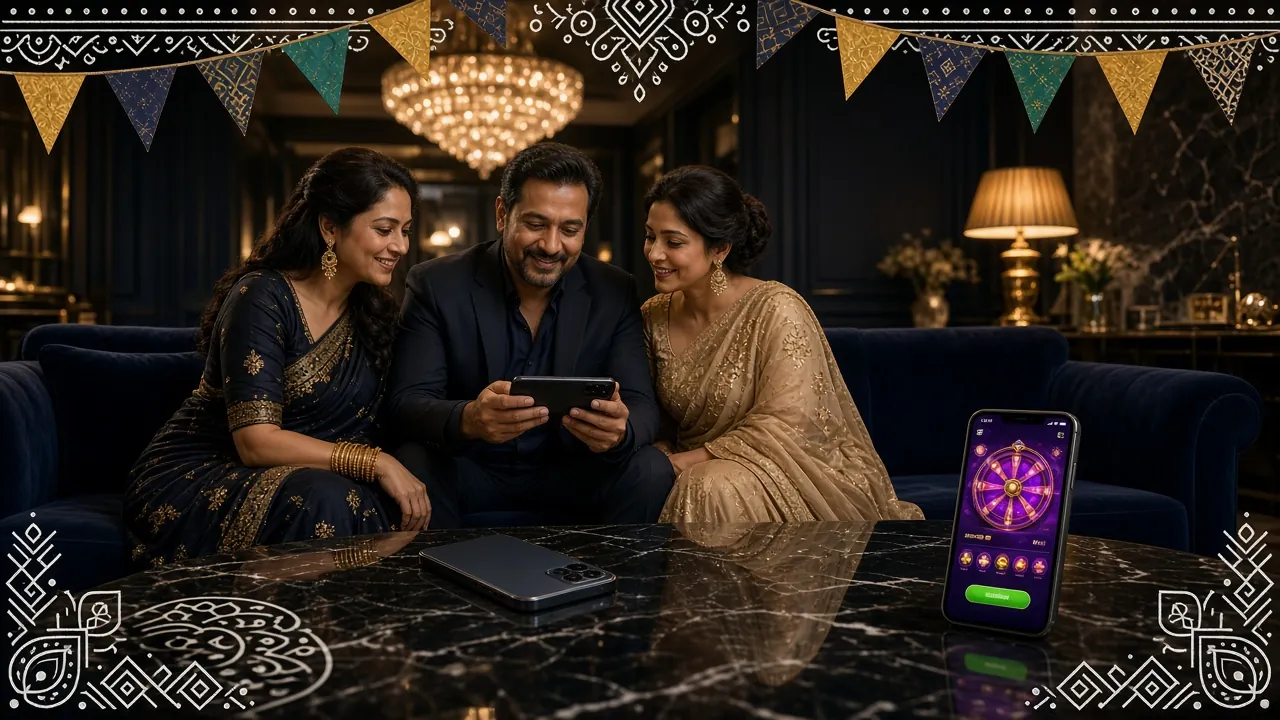
rj45 app running on Android — cricket odds, live casino, and fishing games in one place.
System Requirements & Version Info
Before you download, confirm your phone meets the minimum requirements. The rj45 app runs smoothly on most Android phones made after 2018. All the numbers below are from the latest release.
File: rj45.apk · Size: 32 MB · Price: Free
Version 3.5.19 · Released 10 November 2026
| Item | Details |
|---|---|
| Version | 3.5.19 |
| File size | 32 MB |
| Platform | Android |
| Minimum Android version | Android 6.0 (Marshmallow) or later |
| Last updated | 10 November 2026 |
| Price | Free to download and install |
| Languages | English, Bangla |
| Internet connection | Required (Wi-Fi or mobile data) |
| Storage needed | ~55 MB free space recommended |
| iOS support | Web app via Safari — Add to Home Screen |
The rj45 app is not available on Google Play Store or Apple App Store. Download only from this page at rj45.lat to get the verified, up-to-date APK file. Already have an account? Log in here.
What You Can Do Inside the rj45 App
The app covers every corner of rj45. Here is exactly what you get once you install it on your Android device.
4,100+ Games On Tap
Slots, fishing, lottery, card games, and crash — the full rj45 library is in your pocket. Titles from JDB, Evolution, Red Tiger, Habanero, Playtech, Sexy Gaming, and Ezugi load fast on mobile data. Filter by game type or provider directly inside the app lobby.
Live Cricket & Sports Odds
Bet on T20, ODI, BPL, and IPL matches in real time. The app streams live score updates alongside odds. Place a bet in under 30 seconds while the match is on. Same markets available as the desktop version — no features removed for mobile.
Live Dealer Casino
Evolution and Ezugi power the live tables — roulette, baccarat, blackjack, and Teen Patti. The app handles HD video streams without stuttering on a standard 4G connection. Minimum bet on most tables starts at ৳1, so you can join at any stake level.
Crash & Aviator Games
Go Rush, Crash, and other multiplier games run at full speed in the app. Cash out at the right moment and your winnings hit your wallet instantly. Set auto-cashout before each round so you never miss your target multiplier, even if you look away for a second.
bKash & Nagad Payments
Deposit with bKash, Nagad, Rocket, or Upay right inside the app — no browser switch needed. Minimum deposit is ৳100 and funds arrive in about 6 minutes. Withdrawals from ৳1,200 process in roughly 31 minutes. Everything is handled inside the rj45 app wallet screen.
24/7 Live Chat Support
Need help at 2 AM? The 24/7 live chat button is always visible in the app menu. Reach the support team for deposit issues, bonus questions, or account verification help. Average response time is under two minutes during peak hours in the Bangladesh time zone.
Security & Permissions: What the App Requests
The rj45 app only asks for the permissions it actually needs. No access to your contacts, camera, or microphone. Here is each permission and why it is there.
Internet Access
Required to load games, receive live odds, and process payments. The app cannot work offline. All data travels over TLS 1.3 encrypted connections — the same standard used by banks.
Storage Read/Write
Needed to save the APK update file when a new version is available. The app only reads and writes inside its own folder. It does not scan your photos, documents, or personal files stored elsewhere on the phone.
Install Unknown Apps
Because the APK is distributed outside the Play Store, Android asks you to allow installs from this source once. You can turn this permission off again after installation. It does not give the app any extra access to your phone going forward.
Notifications (Optional)
The app can send alerts about deposit confirmations, promotions, and withdrawal status. This permission is optional — you can deny it at install time and still use every feature. Enable or disable notifications any time in your Android settings.
Install the rj45 APK on Android: 5 Steps
The whole process takes under three minutes on most phones. Follow these steps in order.
Allow Installs from Unknown Sources
Go to Settings → Apps → Special App Access → Install Unknown Apps. Find your browser (Chrome or Firefox) and toggle it on. On some phones this prompt appears automatically when you tap the APK file. This one-time setting lets Android accept APK files downloaded outside the Play Store.
Download the APK File
Tap the Download APK button on this page. Your browser will save rj45.apk (32 MB) to your Downloads folder. Keep the screen on until the download bar reaches 100%. A slow or interrupted connection can produce a corrupted file — if that happens, delete it and download again.
Open the File and Tap Install
Pull down your notification shade and tap the downloaded rj45.apk. The Android package installer opens. Review the permission summary on screen, then tap Install. The process takes about 15 seconds. Do not force-close the installer or switch to another app until it finishes.
Open the rj45 App
Once installation is complete, tap Open in the installer or find the rj45 icon in your app drawer. The app loads its game lobby over your internet connection. First launch can take 10–15 seconds while it syncs game data. After that, opening the app is instant.
Log In or Register
If you already have an rj45 account, tap Log In and enter your phone number and password. New to rj45? Tap Register — the sign-up form takes under two minutes. After logging in, complete your first deposit with bKash or Nagad (minimum ৳100) and your welcome bonus activates automatically.
No account yet? Register at rj45 before or after installing the app — both routes work.
Using rj45 on iPhone: Add to Home Screen
Apple does not allow third-party APK installs. iPhone and iPad users can still get a near-app experience by adding rj45.lat to the Safari home screen.
Open rj45.lat in Safari
Use Safari — the Share sheet button is not available in Chrome or Firefox on iOS. Type rj45.lat in the address bar and load the homepage.
Tap the Share Button
Tap the rectangle-with-arrow icon at the bottom of the Safari screen. The share sheet slides up. Scroll down the list of options until you see Add to Home Screen.
Name the Shortcut and Confirm
Type rj45 as the shortcut name, then tap Add in the top-right corner. The rj45 icon appears on your home screen and opens the site in full-screen mode, without the Safari toolbar.
Log In and Play
Tap the icon to open rj45. Log in with your existing account or register a new one. All features — games, deposits via bKash, live chat — are available through the web app on iOS, with no missing functions compared to the Android version.


App vs Browser: Which Should You Use?
Both options work. Here is a direct comparison so you can choose what fits your phone and habits. Numbers and features are the same on both — the differences are about speed and convenience.
| Feature | rj45 App (APK) | Mobile Browser |
|---|---|---|
| Game loading speed | Faster — assets cached locally | Loads each session from server |
| Home screen shortcut | App icon, no URL needed | Manual bookmark required |
| Push notifications | Yes — deposits, promotions | Not available |
| Games available | All 4,100+ titles | All 4,100+ titles |
| bKash / Nagad payments | Yes — in-app wallet | Yes — via browser redirect |
| Minimum deposit | ৳100 | ৳100 |
| Withdrawal time | ~31 minutes | ~31 minutes |
| Live dealer games | Yes — HD video | Yes — HD video |
| Auto-login | Yes — session saved | Depends on browser settings |
| Storage required | ~55 MB | None (uses browser cache) |
| Update method | In-app prompt → download new APK | Always latest version automatically |
| iOS support | Not available (use web app) | Full support via Safari |
Verdict: If you play regularly on Android, the app gives you faster load times and push alerts. If you share a phone or prefer not to install anything, the browser version works just as well. Either way, go to rj45 Casino to explore the full game list.
Installation Not Working? Troubleshoot in 60 Seconds
Most install problems have a quick fix. Find your error in the table below.
| Problem | Likely Cause | Fix |
|---|---|---|
| "Install blocked" message | Unknown sources permission not enabled for your browser | Go to Settings → Apps → your browser → Install Unknown Apps → Allow. Then tap the APK file again from your Downloads folder. |
| "Package file is invalid" | The APK download was interrupted or the file is corrupt | Delete the incomplete rj45.apk from Downloads, then download it again on a stable Wi-Fi connection. Make sure the file size is exactly 32 MB before tapping it. |
| App crashes on first open | Android version below 6.0, or low RAM during installation | Check your Android version under Settings → About Phone. If it is below Android 6.0, the app will not run. Try clearing background apps before opening rj45 for the first time. |
| Games load slowly or freeze | Weak mobile data signal or insufficient free storage | Switch to Wi-Fi if possible. Free up at least 100 MB of phone storage — the app needs working space beyond the initial 55 MB install. Restart the app after clearing space. |
| "App not installed" after tapping | Older version of the rj45 app still present on the phone | Go to Settings → Apps → rj45 and uninstall the old version first. Then run the new APK installer. Your account data is stored server-side, so uninstalling does not delete anything. |
Still stuck? The 24/7 live chat inside rj45 can walk you through any error. Tap the chat icon once you are logged in on the browser version.
Questions About the rj45 App
Is the rj45 APK safe to install?
Yes. The APK hosted at rj45.lat is the official build — it has not been modified by any third party. The file uses the same SHA-256 code-signing certificate as every rj45 release. Download only from this page; do not install APK files shared via WhatsApp or Telegram groups, as those may have been tampered with. After installing, you can verify the app version in the About section: it should read 3.5.19.
Why is the rj45 app not on Google Play or the App Store?
Google Play and Apple App Store have global content policies that restrict real-money gaming apps in many markets. Rather than limit functionality to comply with those policies, rj45 distributes the APK directly so Bangladesh players get the full product — all payment methods, all games, no region-locked features. This is standard practice for gaming apps serving South Asian markets. The APK install process takes under three minutes.
How do I update the rj45 app when a new version releases?
The app checks for updates each time you open it. When version 3.5.19 is no longer the latest build, you will see an in-app banner saying "Update Available." Tap it and the app opens this download page automatically. Download the new APK, tap it, and Android installs the update over the existing app without deleting your saved login or settings. You do not need to uninstall first.
Will playing on the rj45 app use a lot of mobile data?
Slot and fishing games use roughly 3–6 MB per hour because assets are cached after the first load. Live dealer games stream video and use around 150–300 MB per hour at standard quality — similar to watching YouTube. If your mobile data plan is limited, connect to Wi-Fi for live casino sessions. The app does not download large asset packs in the background; data is only used while you are actively playing.
Can I be logged in on both the app and a browser at the same time?
Yes. rj45 allows concurrent sessions on multiple devices. Your wallet balance and transaction history stay in sync in real time, so a deposit made on the browser shows up in the app within seconds. If you place the same bet from two devices simultaneously, the system will process only the first transaction received. For security, you can log out all sessions from the account security settings inside the app.
If I uninstall the app, do I lose my account balance?
No. Your rj45 account, wallet balance, bonus balance, and VIP points are stored on rj45 servers — not on your phone. Uninstalling the app removes only the app files from your device. Reinstall any time and log in with the same credentials to find everything exactly as you left it. This also means that if you change phones, your account moves with you — just install the APK on the new device and log in.
Is the rj45 app available and working in Bangladesh?
Yes. The rj45 app is built specifically for the Bangladesh market. It supports bKash, Nagad, Rocket, and Upay for deposits and withdrawals — all four are integrated natively in the app wallet. The interface is available in both English and Bangla. Servers are optimized for Bangladeshi connections, so load times are fast even on Grameenphone or Robi 4G. Time zone display is set to UTC+06 by default.
Play within your limits
The rj45 app includes deposit limits, session reminders, and a self-exclusion option. Set a weekly budget before you start playing. Gambling should stay fun — if it stops being fun, step away and use the tools in the account settings.
How rj45 Keeps Your Data Safe
When you install the rj45 app and create an account, your personal details are stored on encrypted servers. Passwords are hashed — rj45 staff cannot read them. Payment data (bKash wallet numbers, transaction IDs) is transmitted over TLS 1.3 and is never stored in plain text on your device or ours. The app does not share your data with advertising networks.
Before your first withdrawal, you will need to complete KYC verification using a National ID Card (NID), Passport, or Driving Licence. Review takes up to 2 hours. This is required by our compliance framework to protect your account from unauthorised access. See our Withdrawal & KYC Guide for the full document checklist.