rj45 Deposit Guide
Read this once and you will know how to put money into your rj45 account with bKash, Nagad, Rocket or Upay — which limits apply, how long it takes, and what to do if something goes wrong.
- SSL Encryption
- Deposits in 6 min
- 24/7 Support
- bKash · Nagad · Rocket · Upay
- 18+ Only
rj45 accepts four mobile payment methods used widely across Bangladesh. The minimum deposit is ৳100, money usually lands in your gaming wallet within 6 minutes, and there are no platform-side fees. This guide covers every step for each method plus the most common reasons a deposit might fail.
Payment Methods at a Glance
All four methods work from your phone. No bank account or credit card is required. The table below shows the key numbers so you can compare before you pick one.
| Method | Min Deposit | Deposit Time | Withdrawal Time | Fee (Platform) | How to Pay |
|---|---|---|---|---|---|
| bKash | ৳100 | ~6 min | ~31 min | Free | bKash App / USSD |
| Nagad | ৳100 | ~6 min | ~31 min | Free | Nagad App / USSD |
| Rocket | ৳100 | ~6 min | ~31 min | Free | Rocket App / USSD |
| Upay | ৳100 | ~6 min | ~31 min | Free | Upay App |
Four Steps to Complete Any Deposit
The core process is the same for all four methods. The steps below show the full flow from logging in to seeing the balance update.
Go to Deposit
Tap the wallet icon or select "Deposit" from the account menu. Choose your payment method.
Enter Amount
Type how much you want to deposit. Minimum is ৳100. Confirm and copy the merchant number shown.
Send & Confirm
Send money from your mobile wallet app using the reference shown. Your balance updates within 6 minutes.
How to Deposit with bKash
bKash is the most widely used mobile wallet in Bangladesh and the fastest option at rj45. Follow these steps exactly — sending to the wrong number or skipping the reference will delay your deposit.
bKash Deposit — Step by Step
- Log in to rj45, open the Cashier and tap Deposit.
- Select bKash from the list of payment methods.
- Enter the amount you want to deposit. The minimum is ৳100.
- The page shows a merchant bKash number and a transaction reference. Write both down or take a screenshot.
- Open your bKash app (or dial *247#). Select Send Money.
- Paste the merchant number, enter your deposit amount, then paste the reference code in the message/reference field. This is required — missing it delays processing.
- Enter your bKash PIN to confirm. Keep the transaction ID shown by bKash.
- Return to rj45. If your balance has not updated within 6 minutes, go to Live Chat and share the bKash transaction ID.
Always send from the bKash number registered on your rj45 account. Payments from a different number may require manual review.
How to Deposit with Nagad
Nagad is a Bangladesh Post Office–backed wallet with low fees and wide coverage. The rj45 deposit flow with Nagad is nearly identical to bKash.
Nagad Deposit — Step by Step
- Log in to rj45 and go to Cashier → Deposit.
- Choose Nagad as the method.
- Enter your deposit amount (minimum ৳100). Submit the form.
- Copy the Nagad merchant number and reference code displayed.
- Open the Nagad app or dial *167#, then choose Send Money.
- Enter the merchant number and your amount. Paste the reference code in the note field before confirming.
- Authorise the transaction with your Nagad PIN. Save the confirmation message.
- Your rj45 wallet will update within 6 minutes. Contact Live Chat if it takes longer, with your Nagad confirmation number.
Do not send from a Nagad business account. Only personal wallet transfers are accepted.
How to Deposit with Rocket
Rocket (by Dutch-Bangla Bank) works well for players who already use it for other bill payments. The USSD flow is straightforward even on a basic phone.
Rocket Deposit — Step by Step
- Log in to rj45 and open Deposit from the cashier menu.
- Select Rocket and type your deposit amount. Minimum: ৳100.
- Note the Rocket merchant number and transaction reference on screen.
- Open the Rocket app or dial *322# and choose Send Money.
- Enter the merchant number, then the amount. Add the reference code in the remarks field.
- Confirm with your Rocket PIN. Save the SMS or in-app receipt.
- Return to rj45. Balance should update within 6 minutes. Use Live Chat if not, and share the Rocket reference number.
Rocket accounts must have a sufficient balance before initiating the transfer. Check your Rocket balance first to avoid failed transactions.
How to Deposit with Upay
Upay is a newer app-based wallet that is gaining popularity in Dhaka and Chittagong. It supports instant transfers and is a good alternative if the other wallets are temporarily slow.
Upay Deposit — Step by Step
- Log in to rj45. Navigate to Cashier → Deposit.
- Tap Upay and enter your deposit amount (minimum ৳100).
- Copy the Upay merchant number and reference code shown by rj45.
- Open the Upay app. Choose Pay / Send.
- Enter the merchant number, amount, and paste the reference code in the description field.
- Authorise with your Upay PIN or biometric. Wait for the in-app success message.
- Switch back to rj45. If the balance has not updated within 6 minutes, contact 24/7 Live Chat with your Upay receipt.
Upay is an app-only wallet. If you have not downloaded it yet, the rj45 mobile app can help you manage both in one place.
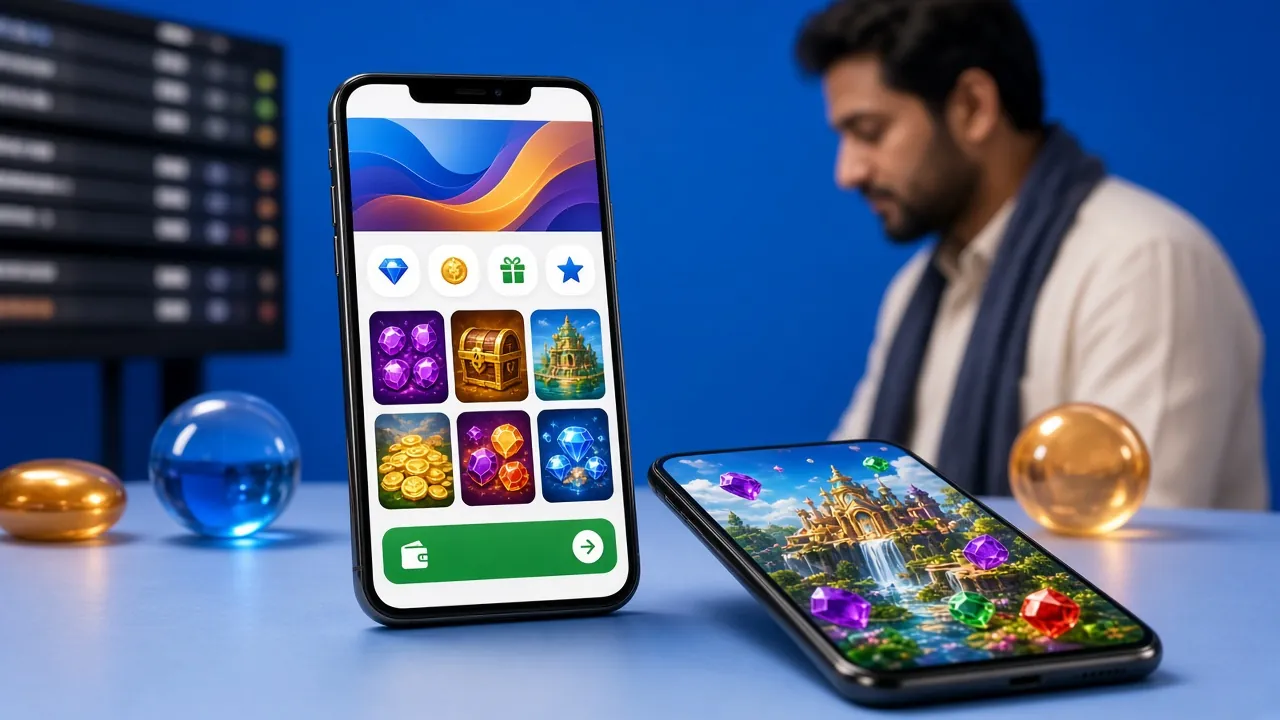
The rj45 deposit cashier page — select your mobile wallet and follow the steps shown on screen.
Deposit Limits & Timing: The Full Picture
These numbers come directly from rj45 platform rules. All four payment methods share the same thresholds for the platform side. Your individual mobile wallet may have its own daily limits which are separate.
| Item | Amount / Time | Notes |
|---|---|---|
| Minimum deposit | ৳100 | Applies to all methods |
| Deposit arrival | ~6 minutes | Under normal network conditions |
| Platform fee | Free | rj45 charges no processing fee |
| Minimum withdrawal | ৳1,200 | Must meet first if withdrawing |
| Maximum daily withdrawal | ৳50,000 | Bronze tier — higher tiers get more |
| Withdrawal arrival | ~31 minutes | After approval processing |
| First withdrawal review | ~2 hours | KYC verification required first |
KYC (identity verification) is required before your first withdrawal. Submit your National ID Card, Passport or Driving Licence. Review takes up to 2 hours. You can still deposit and play while KYC is pending.
Common Errors and What to Do
Most deposit problems come down to a few predictable causes. The table below covers the ones rj45 support hears most often, so you can fix them yourself without waiting in the chat queue.
| Error | Likely Cause | Fix |
|---|---|---|
| Balance not updated after 6 min | Reference code missing or network lag | Go to Live Chat. Share your mobile wallet transaction ID. Usually resolved within 10 minutes. |
| Transaction declined by bKash/Nagad | Daily wallet limit reached or insufficient balance | Check your mobile wallet balance and daily limit. Try a smaller amount or switch to a different method. |
| Sent to wrong number | Copied the wrong merchant number | Contact Live Chat immediately with proof of payment. Do not send again until support responds. |
| Reference code not entered | Skipped the reference/note field on wallet app | Provide the transaction receipt to Live Chat. They can match the deposit manually but it may take longer. |
| Deposit pending for over 30 min | System maintenance or bank-side delay | Wait 5 more minutes, then contact 24/7 Live Chat. Do not submit the same deposit twice. |
| Amount below minimum | Entered less than ৳100 | rj45 will reject deposits under ৳100. Top up your wallet and try again with at least ৳100. |
First Deposit Bonus: What Changes When You Claim It
Your first deposit at rj45 qualifies for a 175% welcome bonus up to ৳11,500. Here is what that means in practice before you send money.
Questions Players Ask Before Their First Deposit
What is the minimum deposit at rj45?
The minimum deposit at rj45 is ৳100 for all four mobile wallet methods — bKash, Nagad, Rocket and Upay. There is no maximum deposit limit set by rj45, though your individual wallet provider may have daily sending limits.
How long does a rj45 deposit take to arrive?
Under normal conditions, deposits arrive in your rj45 wallet within 6 minutes. If the balance has not updated after 10 minutes, open 24/7 Live Chat and provide your mobile wallet transaction ID. Do not send the payment a second time before checking with support.
Can I send from someone else's bKash or Nagad number?
No. rj45 requires that the mobile wallet number used for deposits matches the one registered on your account. Sending from a family member's or friend's wallet will likely cause the deposit to be held for manual review, and in some cases it may be returned. Use only your own registered wallet number.
My wallet app does not have a reference or note field — what do I do?
Some older USSD flows on bKash and Rocket do not display a reference input. In that case, complete the transfer and immediately contact 24/7 Live Chat with your wallet transaction ID, the amount sent and the time. Support can match the transaction manually, though it may take slightly longer than the standard 6 minutes.
Can I deposit and play games while KYC verification is pending?
Yes. You can deposit and play all games while your KYC documents are under review. KYC is only required before your first withdrawal. The review takes up to 2 hours after you submit valid documents (National ID Card, Passport or Driving Licence).
Is there a daily deposit limit at rj45?
rj45 does not publish a fixed daily deposit cap on the platform side. However, your mobile wallet has its own daily sending limits set by bKash, Nagad, Rocket or Upay. If you need to deposit a large amount, check your wallet's daily outgoing limit first. For responsible gaming, you can also set personal deposit limits by contacting rj45 support.
Ready to Make Your First Deposit?
Create your rj45 account, complete a quick registration and your first deposit qualifies for a 175% bonus up to ৳11,500. Already have an account? Just log in and head to the cashier.
Play Responsibly
Set deposit limits before you play. Gambling should be entertainment, not a way to earn money.
If you feel you are losing control, use the self-exclusion tool or contact support immediately.
Compliance & Data Security
rj45 uses SSL encryption on all cashier transactions. Your payment details are never stored on rj45 servers — the transaction is processed directly between your mobile wallet provider and the payment gateway. Deposit history is retained in your account for a minimum of 12 months for regulatory and dispute purposes.
By making a deposit you confirm you are aged 18 or above and that the funds originate from a legitimate source. For full terms covering deposits, wagering and withdrawals, see the Terms & Conditions and Privacy Policy.